
Ten minutes as an instructor
What a war college seminar sees, in the order it sees it, and a demo class you can open right now with eight sample results already in it. No account is needed for any of it.
One scenario, start to finish
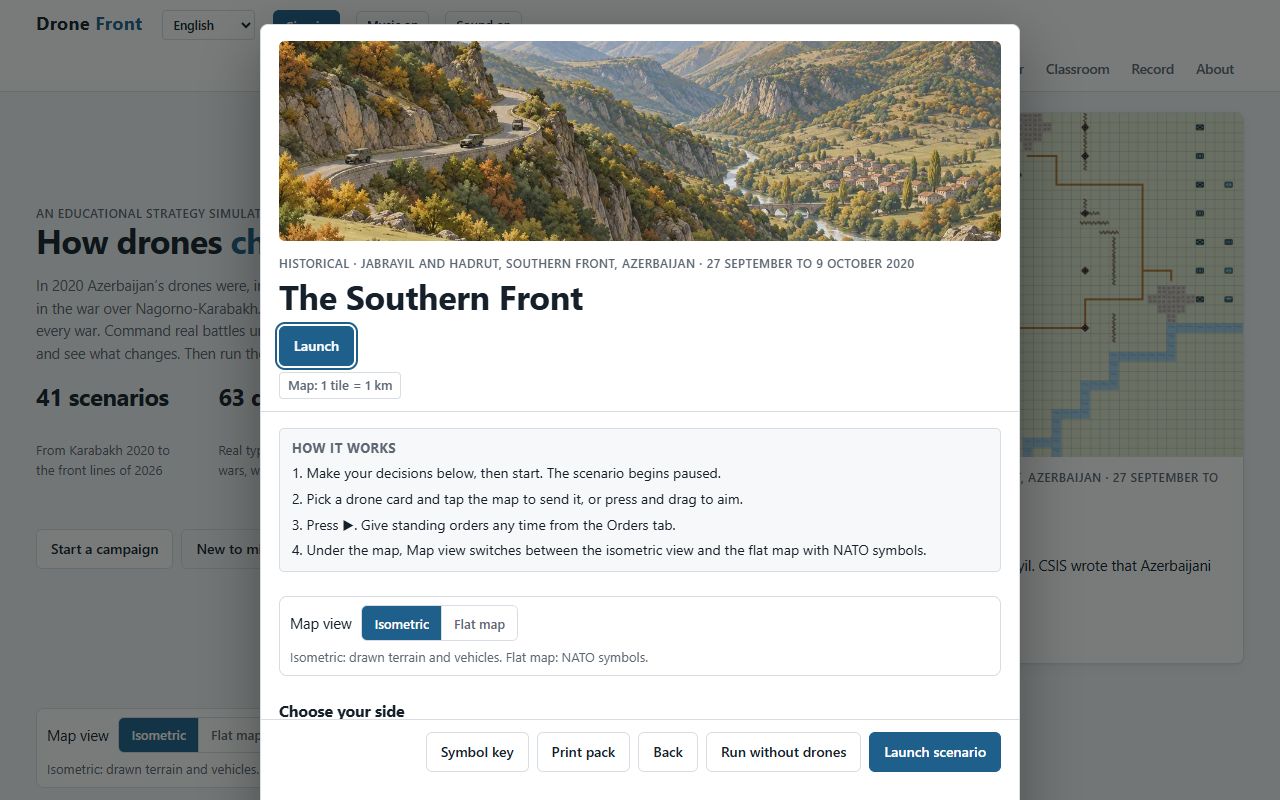 01
Briefing
Every scenario opens with the situation, the map scale, the side to command and three learning objectives. The instructor can lock weather, light, fog of war and enemy strength for the whole class.
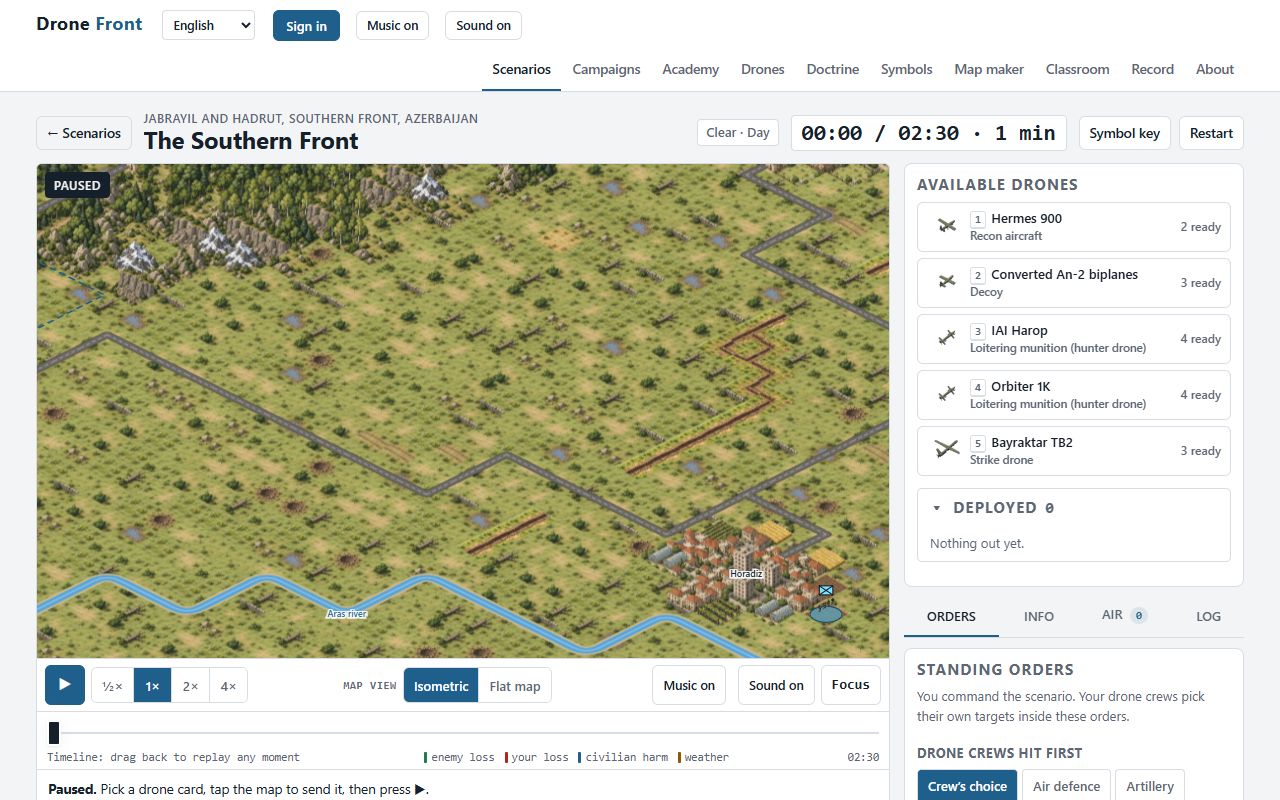 02
Command
Students pick a drone card and tap the map to send it. Enemy units stay hidden until a recon drone finds them. Standing orders tell crews what to hit first; the clock runs at half, one, two or four times speed.
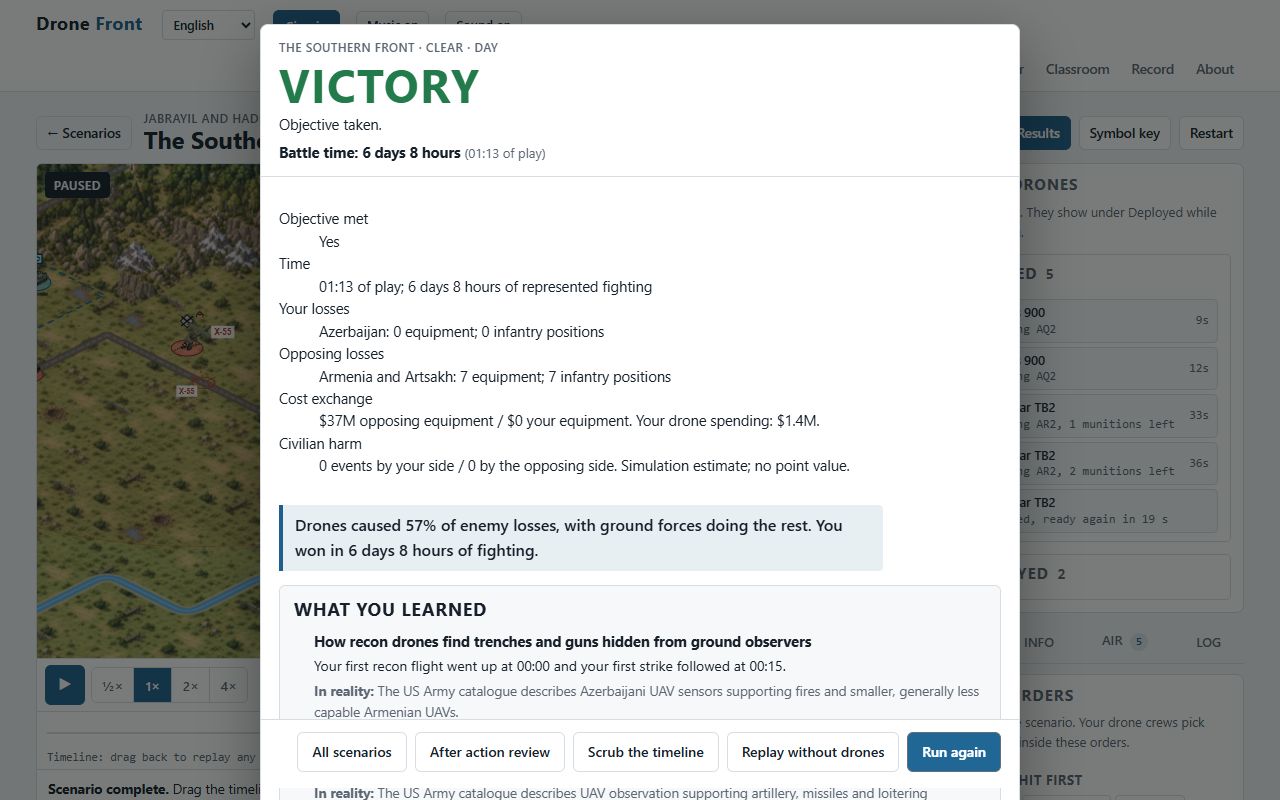 03
After action review
The review leads with the objective, time, losses on both sides, equipment cost exchange and civilian harm. Harm is recorded separately and never priced in points. Each learning objective is checked against the run, beside what happened in the real battle.
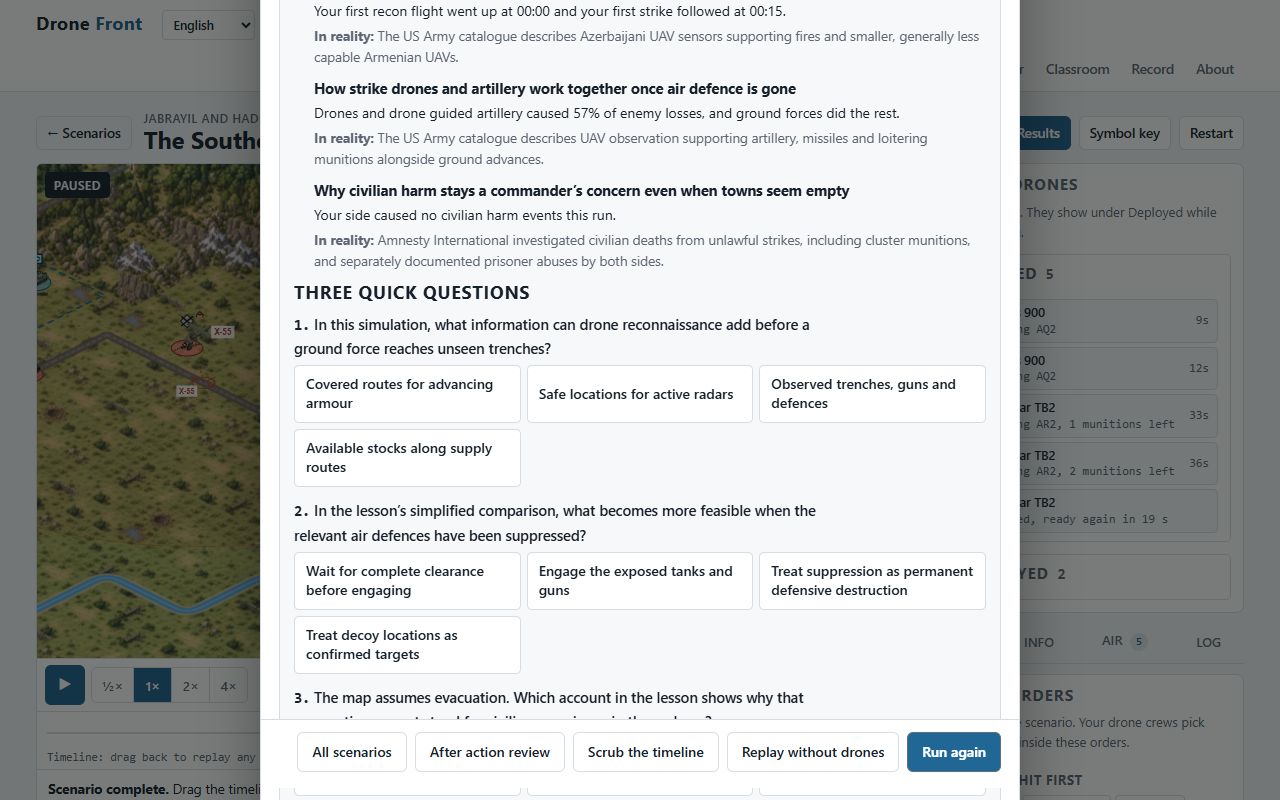 04
Before and after questions
The same five questions are asked before the briefing and after the review. The class totals show what changed.
 05
Classroom mode
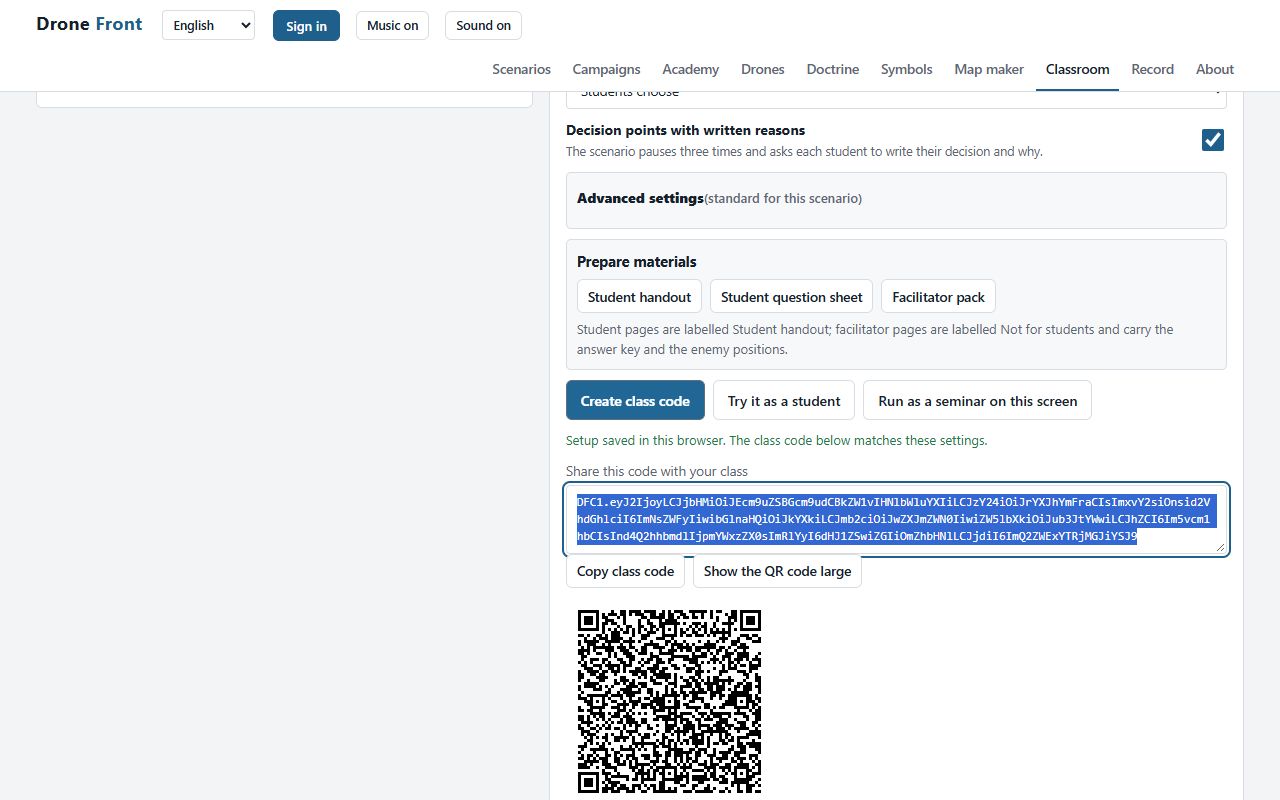
One class code carries the scenario, locked settings, planned events and decision points. Students paste it or scan the QR code. No student accounts are required. On the website, the code is sent to validate classroom access; the licensed offline file keeps it on the device.
 06
Collected results
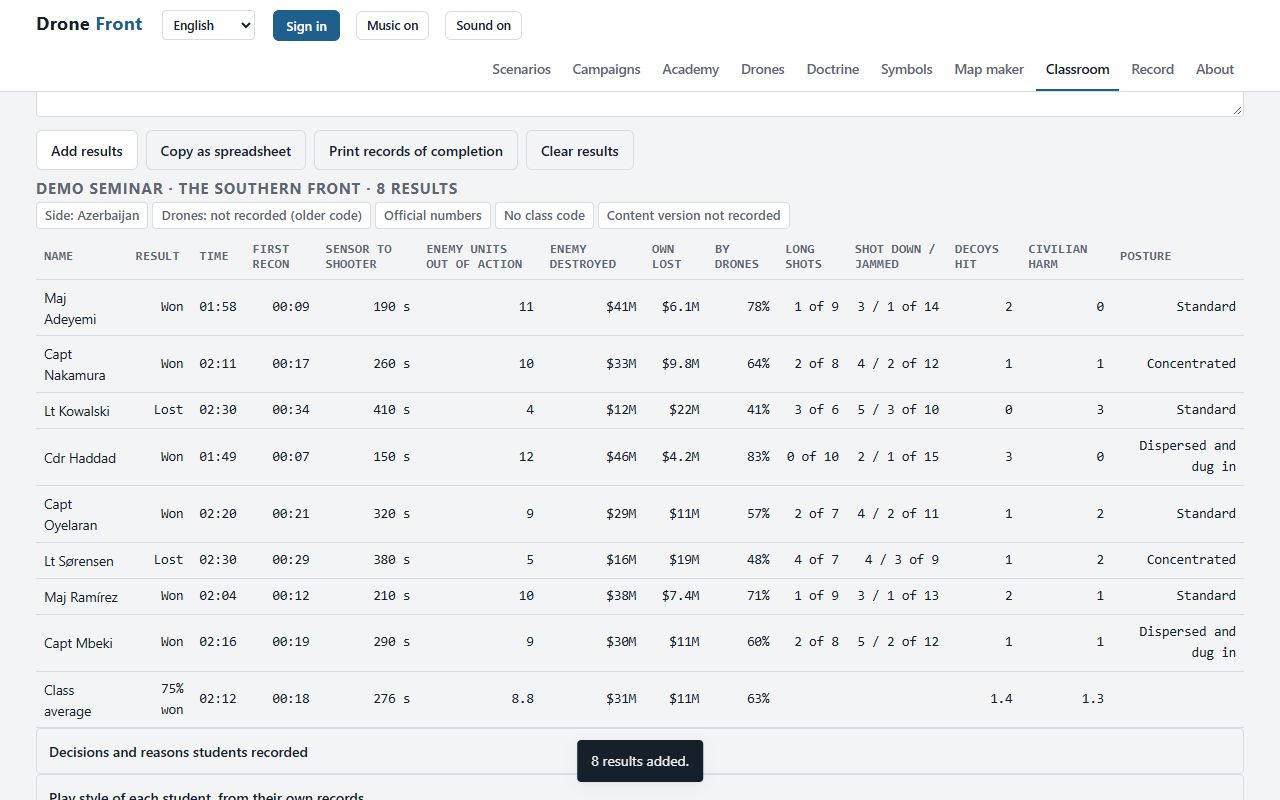
Each student sends back one result code. Pasted together they give the class table, the class average, every decision students wrote down, and the before and after totals for the five questions.
Try classroom mode with results already in it
Join the demo class
The class is The Southern Front, Jabrayil and Hadrut, southern front, Azerbaijan, with the settings locked the way an instructor would lock them: clear day, realistic fog of war, standard enemy. Open it the way a student would, from the class code.
Or paste the code yourself: open the simulation, Classroom, Join a class.
Collect eight results
Eight sample result codes, one per student, in the format the simulation writes. Paste them into Collect results and the class table, the decisions and the before and after totals appear.
- Open the simulation and choose Classroom.
- Under Collect results, paste the codes and press Add results.
Students in the demo: Maj Adeyemi, Capt Nakamura, Lt Kowalski, Cdr Haddad, Capt Oyelaran, Lt Sørensen, Maj Ramírez, Capt Mbeki. The names and figures are made up for the demo; every real result code comes from a real run.
4 lesson lengths
- 45 MIN
One class period or unit training period.
One run each, with drones. No comparison run in class. Fast finishers may run it again without drones; the class table shows those runs as a separate group.
- 60 MIN
A single seminar slot.
One run each, with drones, at two times speed if time is short. No comparison run in class.
- 90 MIN
A double seminar slot.
Two runs each with the same class code: with drones, then without drones. With drones against without drones, on the same settings. The class table shows the two kinds of run as separate groups.
- 180 MIN
A half day exercise with staff roles.
Three runs each: with drones, without drones, then a syndicate run with different settings. With and without drones, then syndicates on different postures or with reports from units set to Realistic. Give each syndicate its own class code, so each is its own group in the class table.
Read the lesson guide for The Southern Front.
Licensed to war colleges, staff colleges and military academies
Classroom and umpire mode, the lesson guides and the offline file come with an institutional licence for the period your institution chooses. Tell us the college, the course and the term, and you will get a reply with anything the course needs.